
Hướng dẫn··6 phút đọc·NenMua Editor
Cách build home server Gen Z VN 2026 — Plex, NAS, Pi-hole on cheap
Cách build home server Gen Z VN 2026 — Synology NAS, Raspberry Pi, mini PC. Media + cloud + ad blocking.
Mục lục (55 mục)
Tóm tắt nhanh — home server tiers
| Tier | Hardware | Use case |
|---|---|---|
| Entry | Raspberry Pi 5 | Pi-hole, basic |
| Mid | Synology NAS | Plex + cloud |
| Advanced | Mini PC | Multi-service |
| Pro | Custom build | Storage focus |
Vì sao home server
Use cases Gen Z:
- Media streaming (Plex vs Netflix)
- Personal cloud (Google Drive replacement)
- Smart home automation
- Ad blocking network-wide
- Self-hosted VPN
- Backup centralized
- Privacy + control
Lợi ích:
- Privacy (data own)
- Cost long-term
- Learning DevOps
- Hobby + tinkering
Tier 1: Raspberry Pi (entry)
Phần cứng:
- Raspberry Pi 5 8GB ~2.5tr
- microSD 128GB ~400k (or USB SSD 250GB ~1tr)
- Case + cooler ~500k
- Power adapter 27W ~300k
Total: ~3.5-4tr
Mục đích dùng:
- Pi-hole (DNS ad blocker)
- Home Assistant (smart home)
- WireGuard VPN
- Lightweight Docker
- Backup script
Setup steps:
- Imager Raspberry Pi Imager
- Flash SD card with Pi OS Lite
- Enable SSH + Wi-Fi
- SSH ssh pi@192.168.1.x
- Install services
Tier 2: Synology NAS (sweet spot)
Phần cứng:
- Synology DS224+ ~9tr (2-bay)
- 2× WD Red Plus 4TB ~4tr
- Total: ~13tr
Mục đích dùng:
- File storage RAID 1
- Plex / Jellyfin media
- Backup automated
- Photos library
- Surveillance station
Ưu điểm:
- Plug-and-play DSM OS
- Mobile app suite
- Active community
- Reliable
Chuẩn bị:
- Insert HDDs
- Connect ethernet
- Web interface setup
- Configure RAID + shared folders
Tier 3: Mini PC (advanced)
Phần cứng:
- Mini PC (Intel N100 / N305) ~4-7tr
- DDR4 16GB ~1.5tr
- NVMe SSD 1TB ~2tr
- External enclosure 2-bay HDD ~1.5tr
- 2× HDD 4TB ~4tr
Total: ~13-16tr
OS:
- Proxmox VE (free, open source virtualization)
Mục đích dùng:
- Multiple VM (Linux, Windows lite)
- Docker / K8s lab
- Backup centralized
- Self-host services
- Media server
Top mini PCs:
- Beelink SER series ~5-8tr (AMD Ryzen 7, quiet)
- Minisforum UM series ~6-9tr
- Intel NUC 13 Pro ~10-15tr
- GMKtec NucBox ~4-6tr (budget)
Tier 4: Custom build (advanced)
Phần cứng:
- Case (8+ HDD bays)
- Server motherboard
- AMD Ryzen + iGPU
- DDR4 ECC 32GB
- 4-8× HDD 8-12TB
Total: 30-60tr+
OS:
- TrueNAS Scale (open source)
- Unraid (paid)
Mục đích dùng:
- 30-100TB storage
- Photo/video editor archive
- Business backup
- Self-host everything
Software stack popular
Media:
- Plex (popular, paid Plex Pass)
- Jellyfin (free, open source)
- Emby (middle ground)
- Sonarr / Radarr (auto-download)
Bảo quản:
- Nextcloud (Google Drive alternative)
- Syncthing (P2P sync)
- Immich (Google Photos replacement)
- PhotoPrism (photo organize)
Networking:
- Pi-hole (DNS ad blocker)
- WireGuard (VPN)
- Tailscale (zero-config VPN)
- Cloudflare Tunnel (expose services)
Smart Home:
- Home Assistant (popular)
- Node-RED (automation)
- Zigbee2MQTT (Zigbee bridge)
- ESPHome (DIY sensor)
Bảo mật:
- Bitwarden (self-hosted password)
- AdGuard Home (Pi-hole alternative)
- CrowdSec (threat blocking)
Setup Pi-hole (popular start)
Steps:
- Install Raspberry Pi OS Lite
- SSH into Pi (use ssh pi@192.168.1.x command)
- Install Pi-hole via the official install script
- Follow setup wizard
- Configure router → Pi as DNS
Kết quả:
- Ads blocked network-wide
- Browser + apps benefit
- Stats web interface
Setup Plex Media Server
Step 1: Install on Synology / Mini PC
- Synology: DSM Package Center → Plex
- Mini PC: Docker compose Plex
Step 2: Library structure
/media/movies/ /media/tv/ /media/music/
Step 3: Add libraries Plex UI
Step 4: Mobile apps
- iOS / Android Plex app
- Smart TV app
- Browser web
Storage estimate:
- Movie 1080p: 4-8GB
- TV episode: 1-3GB
- 4K Movie: 20-50GB
- 1TB = ~100 movies HD
Networking essentials
Internet to home:
- Static IP optional (DDNS works)
- Check ISP allow inbound
DDNS options:
- DuckDNS (free)
- No-IP (free + paid)
- Cloudflare Tunnel (free, bypass CGNAT)
Reverse proxy:
- Nginx Proxy Manager (GUI)
- Caddy (auto HTTPS)
- Traefik (Docker integration)
Domain:
- .com / .net ~250k/năm
- Subdomain free with Cloudflare
Backup strategy
3-2-1 rule:
- 3 copies of data
- 2 different media
- 1 offsite
Implementation:
- Primary: NAS RAID 1
- Local backup: External HDD
- Cloud backup: Backblaze B2 ($6/TB/month)
Công cụ:
- Synology Hyper Backup
- rsync (Linux)
- BorgBackup (encrypted)
- restic (cross-platform)
Cost estimate first năm
Tier 1 (Pi-hole only):
- Hardware ~4tr one-time
- Power 5W × 24h × 365 = 153k/năm
- Domain optional ~250k
- Total Y1: ~4.5tr
Tier 2 (Synology):
- Hardware ~13tr
- Power 20W × 24h × 365 = 612k/năm
- Plex Pass $5/month = 1.4tr/năm
- Backblaze 4TB = 2.9tr/năm
- Total Y1: ~18tr
Tier 3 (Mini PC):
- Hardware ~15tr
- Power 30W × 24h × 365 = 920k/năm
- Total Y1: ~17tr
Skills learn from home server
Linux:
- Basic commands (cd, ls, sudo)
- Bash scripting
- Cron scheduling
- File permission (chmod)
Networking:
- DNS records
- Port forwarding
- VPN protocols
- Reverse proxy
Bảo mật:
- SSH key auth
- Fail2Ban
- Certificate (Let's Encrypt)
- Firewall (UFW)
Containerization:
- Docker basics
- Docker Compose
- Volume mounts
- Network bridges
→ Valuable for DevOps / IT career.
Hardware accessory
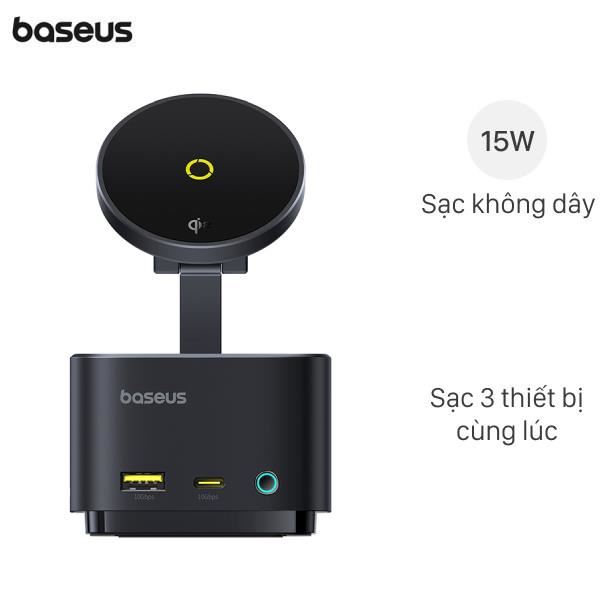
Baseus Hub — connect external drives + power for setup.
Sai lầm phổ biến
| ❌ Sai | ✅ Sửa |
|---|---|
| Start enterprise gear | Pi 5 first |
| Skip backup | 3-2-1 from day 1 |
| Expose direct internet | VPN / Cloudflare Tunnel |
| 1 SSD storage all | RAID 1 minimum |
| Skip monitoring | UPS + temperature |
Common questions
Synology vs DIY mini PC?
- Synology: easier setup, polished
- DIY: customizable, learn more
Choose Synology if: time > money. Choose DIY if: want learn + customize.
Home server tốn điện?
20-50W typical. 0.5-1.2kWh/day = ~30-70k/month. Cheaper than Netflix if replace.
Có cần UPS?
Yes. APC Back-UPS 600VA ~1.5tr. Protect from outage data corruption.
Mua NAS chính hãng VN?
- Synology Vietnam authorized
- FPT
- CellphoneS
- Phong Vũ