
Top 5 app quản lý lịch và sự kiện cho Gen Z 2026 — Google Calendar, Notion
5 app quản lý lịch tốt nhất 2026: Google Calendar, Apple Calendar, Fantastical, Notion Calendar, Sunsama. So sánh tính năng, giá, sync devices.
Mục lục (10 mục)
Tóm tắt nhanh
App lịch tốt giúp Gen Z manage student schedule + part-time job + social — tránh double-booking, set reminder, sync devices. Bài này so sánh 5 app từ Google Calendar quốc dân đến Sunsama pro daily planner.
So sánh nhanh
| Hạng | App | Thế mạnh | Phù hợp với ai | Giá |
|---|---|---|---|---|
| 1 | Google Calendar | Quốc dân, sync mọi device | Mọi người | Miễn phí |
| 2 | Apple Calendar | iOS native, iCloud sync | iPhone/Mac user | Miễn phí |
| 3 | Fantastical | iOS premium UX | iOS power user | 4,99 USD/tháng |
| 4 | Notion Calendar | Tích hợp Notion workspace | Notion user | Miễn phí |
| 5 | Sunsama | Daily ritual + time blocking | Productivity pro | 20 USD/tháng |
Phân tích 5 app
1. Google Calendar — quốc dân, sync Gmail
Google Calendar (2006) là default cho hầu hết Gen Z VN — sync với Gmail, Google Meet, Google Workspace. Miễn phí + cross-platform iOS + Android + web.
Tính năng nổi bật:
- Multiple calendar — work, personal, family color-coded
- Tích hợp Gmail tự động — nhận email mời họp → tự thêm event
- Google Meet 1-click — tạo cuộc họp video từ event
- Smart Suggestions — đề xuất event title, location, thời gian dựa trên context
- Family share — chia sẻ lịch với gia đình
Phù hợp với ai: Gmail user, sinh viên + nhân viên office, không cần advanced feature.
2. Apple Calendar — iOS native, ecosystem integration
Apple Calendar built-in iOS, macOS, watchOS. iCloud sync giữa thiết bị Apple seamless.
Tính năng:
- Sync iPhone + iPad + Mac + Apple Watch
- Family Sharing — share calendar với household
- Siri integration — "Hey Siri, create event tomorrow at 2pm"
- Spotlight Search — tìm event nhanh từ Spotlight
Phù hợp với ai: Apple ecosystem user, prefer minimal design.
3. Fantastical — iOS premium UX
Fantastical (Flexibits) định vị "premium calendar for iOS power user". Natural language input — gõ "Lunch with John tomorrow 1pm at Highlands" → auto-parse thành event đúng.
Tính năng:
- Natural language event creation
- Beautiful UI với weather, location preview
- Integration: Zoom, Meet, Teams, WebEx 1-click
- Templates cho recurring task
Phí: 4,99 USD/tháng hoặc 56,99 USD/năm.
Phù hợp với ai: iOS power user, ngân sách 120k/tháng, tổ chức meeting nhiều.
4. Notion Calendar (Cron) — Notion integration
Notion Calendar (rename từ Cron khi Notion acquire 2022) — miễn phí, beautiful UI, tích hợp Notion workspace.
Tính năng:
- Tích hợp Notion database — event link tới page/task
- Multiple Google Calendar accounts trong 1 app
- Time zone hopper — meeting cross timezone dễ
- Beautiful keyboard shortcut
Phù hợp với ai: Notion power user, prefer keyboard-first workflow.
5. Sunsama — daily ritual + time blocking
Sunsama (2017) định vị "daily planner pro" — không chỉ calendar, là daily ritual app. Pull task từ todo list (Trello, Asana, Notion) vào lịch theo time block.
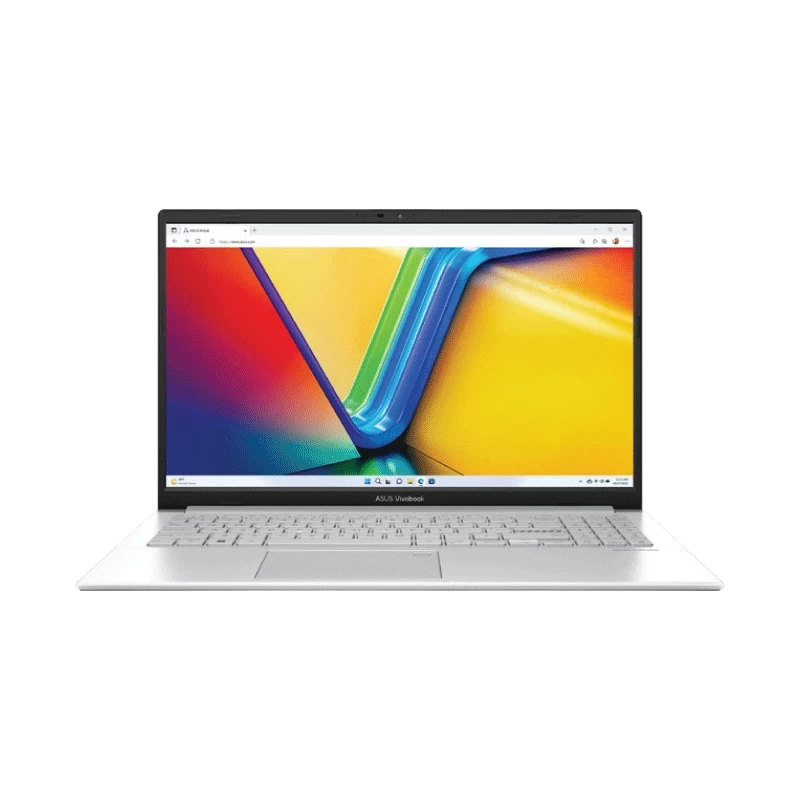
Cho student manage academic schedule, Sunsama trên laptop Asus Vivobook entry tier dưới 15 triệu — đủ tiêu chí dạy + tracking.
Tính năng:
- Daily morning planning ritual + evening reflection
- Time blocking từng task
- Pull task từ Asana, Trello, Notion, Linear
- Weekly review — xem productivity trend
Phí: 20 USD/tháng hoặc 192 USD/năm.
Phù hợp với ai: productivity pro, freelancer, founder.
Cách chọn theo nhu cầu
| Nhu cầu | Recommend |
|---|---|
| Beginner basic schedule | Google Calendar |
| iOS user prefer native | Apple Calendar |
| iOS power user, natural input | Fantastical |
| Notion workspace integration | Notion Calendar |
| Daily ritual + time blocking | Sunsama |
| Sinh viên đại học | Google Calendar (free) |
| Freelancer multi-client | Sunsama hoặc Fantastical |
Tips dùng calendar hiệu quả
- Time block deep work — đặt 2-3h block "Deep Work" mỗi sáng, không meeting
- Color code categories — work blue, personal green, fitness red — visual scan dễ
- Buffer time giữa meeting — 15 phút buffer cho transition mental
- Weekly review thứ Sun — review tuần qua + plan tuần mới
- Sync với todo app — Notion, Todoist, Things 3 — task có deadline tự appear trên calendar
Câu hỏi thường gặp
Google Calendar vs Apple Calendar — chọn cái nào?
Google: cross-platform, sync Gmail tốt. Apple: native iOS smooth, ecosystem Apple Watch + Mac integration. Đa số dùng Google Calendar trên iPhone vẫn OK (sync 2 chiều). Choose 1 làm primary, không dual-use.
Cần Fantastical hay Sunsama nếu đã có Google Calendar free?
Không cần ngay. Google Calendar đủ 90% nhu cầu cho Gen Z student/early-career. Upgrade Fantastical/Sunsama khi: meeting > 10/tuần, manage multi-team, freelance nhiều client.
Notion Calendar có thể thay Google Calendar không?
Không hoàn toàn — Notion Calendar wrap Google Calendar (cần Google account làm backend). Thực ra dùng song song: Google Calendar làm primary, Notion Calendar làm beautiful UI client.
App calendar nào có offline mode?
Apple Calendar, Google Calendar đều có offline (sync khi connect lại). Notion Calendar, Sunsama cần internet vì sync real-time.
Calendar app có hỗ trợ ngày Âm lịch VN?
Google Calendar có "Vietnamese holidays" calendar to subscribe. Apple Calendar native cũng có "Lunar Calendar Vietnamese" option. Add bằng cách: Settings → Add holiday calendar → Vietnam.